
Hexadecimal Calculator
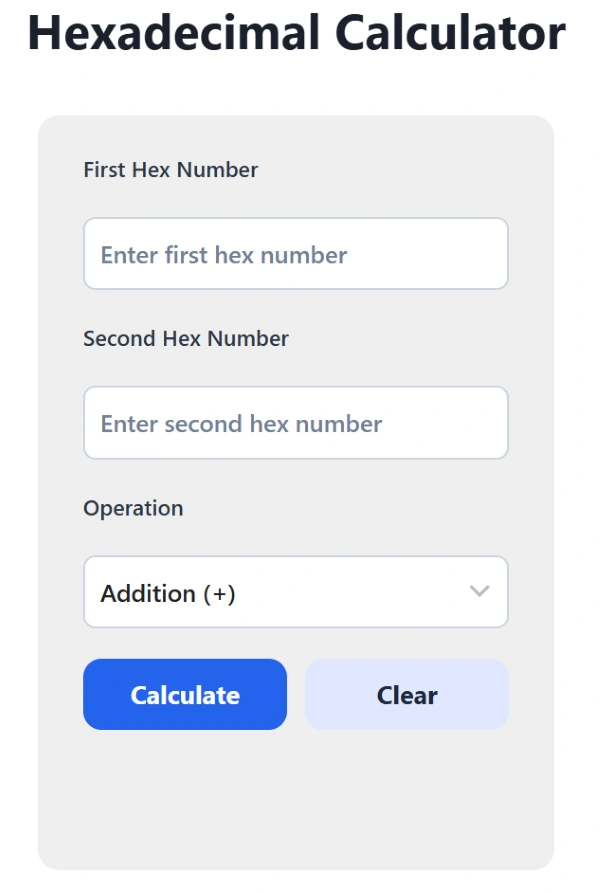
The free Hex Calculator lets you add, subtract, multiply, and divide hexadecimal numbers instantly.
Related Hex Conversion Tools:
Explore these related hexadecimal conversion tools for base transformations, encoding, and binary conversions and calculations.
Base & Number Converters
Encoding & Text Conversion Tools
Color & Design Tools
Programming & Developer Tools
International Versions
Introduction to the Hexadecimal System
The hexadecimal (or “hex”) number system is a base-16 numeral system commonly used in computing and digital electronics. Unlike the decimal system (base-10), which uses digits 0 through 9, the hex system extends the digit set with six additional symbols: A (10), B (11), C (12), D (13), E (14), and F (15). This allows for compact representation of binary data, especially in programming, memory addressing, and color codes in web development.
What Is a Hexadecimal Calculator?
A hexadecimal calculator performs arithmetic with base-16 digits (0–9 and A–F). Each digit represents four binary bits, making hexadecimal ideal for computing and digital design. Use it to check manual calculations, debug address values, or translate between binary, decimal, and octal systems.
How Does Hexadecimal Calculator Work?
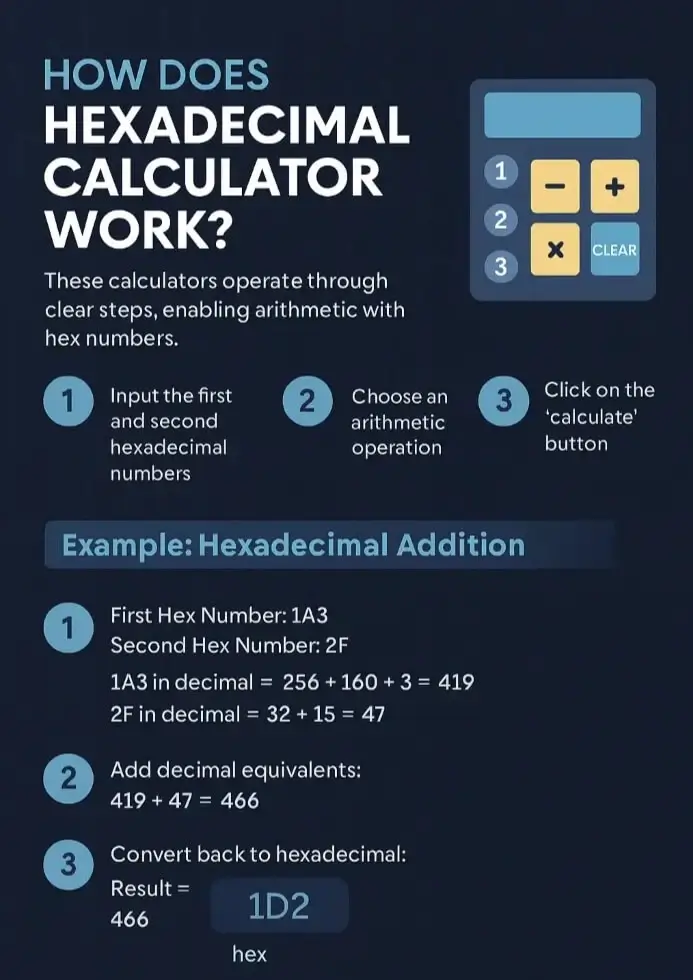
A hexadecimal calculator works through a series of clear steps that allow users to perform arithmetic with hex numbers. Here are the basic steps involved in using a hexadecimal calculator:
Step 1: Input the first and second hexadecimal numbers into their respective fields in the calculator interface.
Step 2: Choose the desired arithmetic operation (Addition, Subtraction, Multiplication, or Division).
Step 3: Click on the calculate button to get the desired result. And/or click on the clear button to to reset all input fields and start a new calculation.
Each step ensures accurate computation even with non-decimal characters like A-F, making the calculator useful for programmers, engineers, and students.
Hexadecimal Addition Explained
Hex addition follows the same logic as decimal addition, but carries occur after every 16 instead of 10.
Each hex digit is converted to its decimal equivalent, added, and then reconverted to hexadecimal.
Example: Add 1A3 and 2F
| Steps | Description | Result |
|---|---|---|
| Convert 1A3 to decimal | (1×256) + (10×16) + 3 | 419 |
| Convert 2F to decimal | (2×16) + 15 | 47 |
| Add 419 + 47 | 466 | |
| Convert 466 to hex | 1D2 |
✅ Answer: 1A3 + 2F = 1D2 (hex)
Hexadecimal Subtraction Explained
Subtraction uses borrowing just like decimal math, except the base is 16. If a lower digit is smaller than the one being subtracted, borrow 1 (16 decimal) from the next higher place.
Example: Subtract 2F from 1A3
- Step 1: Convert 1A3 to decimal → 1×256+10×16+3=419
- Step 2: Convert 2F to decimal → 2×16+15=47
- Step 3: Subtract → 419−47=372
- Step 4: Convert 372 back to hexadecimal → 174
✅ Final Answer: 1A3 – 2F = 174 (hex)
Hexadecimal Multiplication Explained
Multiply digits by their decimal equivalents, then convert the final product back to hexadecimal. When multiplying large hex numbers, the calculator internally converts to decimal first.
Example: Multiply A × 5
- Convert A to decimal → 10
- Multiply 10 × 5 → 50
- Convert 50 to hexadecimal → 32
✅ Final Answer: A × 5 = 32 (hex)
Example 2: 2B × 4 = AC (hex)
Hexadecimal Division Explained
Division divides the decimal equivalents, then expresses the quotient and remainder in hex. This operation is often used to normalize memory sizes or compute modulo values.
Example: Divide 1D2 ÷ A
- Convert 1D2 to decimal → 1×256+13×16+2=466
- Convert A to decimal → 10
- Divide 466÷10466 ÷ 10466÷10 → Quotient = 46, Remainder = 6
- Convert 46 to hexadecimal → 2E
- Convert 6 to hexadecimal → 6
✅ Final Answer: 1D2 ÷ A = 2E remainder 6 (hex)
Practical Uses of Hexadecimal
Programming and Debugging: Hexadecimal simplifies binary inspection. A single byte (8 bits) becomes two hex digits. Example: 0x7F = 127 (decimal). Developers use hex when editing memory dumps, working with file headers, or defining constants in C, C++, and Python.
Web Design (Color Codes): Web colors use six-digit hex notation.
Example table:
| Color | Hex Code | RGB |
|---|---|---|
| White | #FFFFFF | 255, 255, 255 |
| Black | #000000 | 0, 0, 0 |
| Blue | #0000FF | 0, 0, 255 |
Integrating a live color preview increases user engagement.
Networking and Embedded Systems: Hex represents IP addresses, CRC checksums, and firmware data efficiently. Example: 192.168.1.1 → 0xC0A80101.
The hexadecimal calculator image is shown below:
Benefits of Using Hex Calculator
The Hex Calculator is built for precision, speed, and simplicity. Here are the key advantages of using it:
- Saves time on manual hexadecimal math.
- Eliminates conversion errors between decimal and hex.
- Helps programmers and students verify results instantly.
- Displays consistent outputs across all supported number bases.
- Useful for debugging, embedded programming, and circuit design.
FAQs About Hex Calculator
Q1: What is hexadecimal used for?
A1: Hexadecimal is used to represent binary data in a compact, human-readable form. It appears in computer memory addresses, color codes, machine instructions, and digital system design.
Q2: Why use hexadecimal instead of binary?
A2: Hex simplifies long binary strings. For instance, 1111 1111 becomes just FF.
Q3: What are common hex values in computing?
A3:
0xA0,0xC0in character encoding0xFF(255 in decimal) for full 8-bit representation0x00for null or zeroed values
Q4: How can hex calculator help with debugging in software development?
A4: Hex calculator assist in debugging by allowing programmers to manually verify memory addresses, check error codes, and ensure correct representation when converting between number bases during troubleshooting tasks.
Q5: How do you convert hex to decimal manually?
A5: Multiply each hex digit by 16 raised to its position power, starting from right to left. Then, add all results together to get the decimal equivalent of the hexadecimal value.
Q6: What does 0xFF mean?
A6: 0xFF is the hexadecimal notation for 255 in decimal. It represents the maximum value for an 8-bit binary number, where all bits are set to 1 (11111111).
Q7: Is the calculator accurate?
A7: Yes. The Hex Calculator uses exact JavaScript arithmetic logic and real-time computation. It handles large operands correctly without rounding or precision errors.